
Starting with firmware 2026.01.17, AirServer Connect devices now support Power Scheduling. This feature allows you to automatically turn off, turn on, or restart the device at specific times, based on a schedule.
The Power scheduling feature uses the standard crontab syntax, which allows you to specify minute, hour, day of month, month, and day of week. Here's the basic structure:
 * * * * *
 | | | | |
 | | | | day of the week (0–6) (Sunday to Saturday)
 | | | month (1–12)
 | | day of the month (1–31)
 | hour (0–23)
 minute (0–59)
How it works
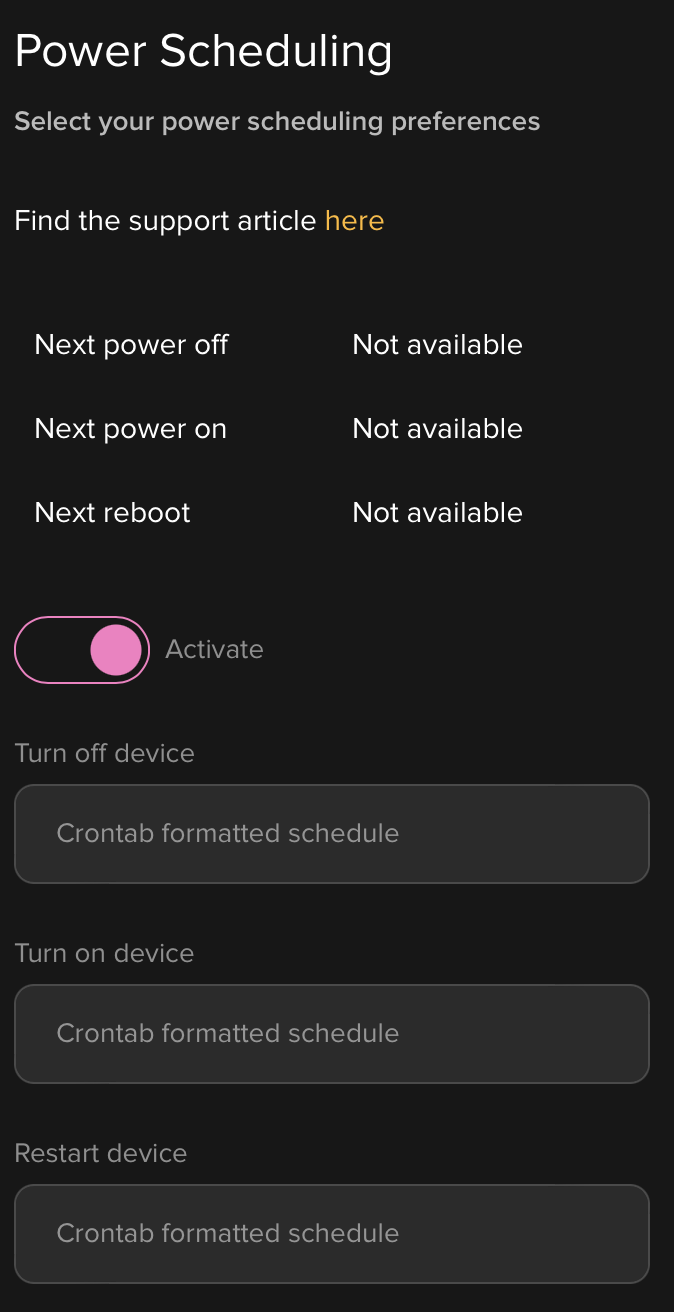
Power Scheduling can be configured from the Device Management page. Under the Power Scheduling menu, you'll find three fields:
Turn off device
Turn on device
Restart device
Each field accepts a time schedule in crontab format. You only need to enter the timing expression (be sure to include a space between each value). The device will automatically apply the corresponding action at the specified time.
For example, if you want to turn on the device every day at 07:30, you will need to use the Crontab expression 30 7 * * *
More Examples
If you want to turn off the device daily at 18:00 -> 0 18 * * *
If you want to restart the device every Sunday at 03:00 -> 0 3 * * 0
If you want to turn off the device every Saturday at 13:00 -> 0 13 * * 6